playwright反爬虫检测
爬虫检测网站
Antibot: https://bot.sannysoft.com/
playwright:https://playwright.net.cn/python/
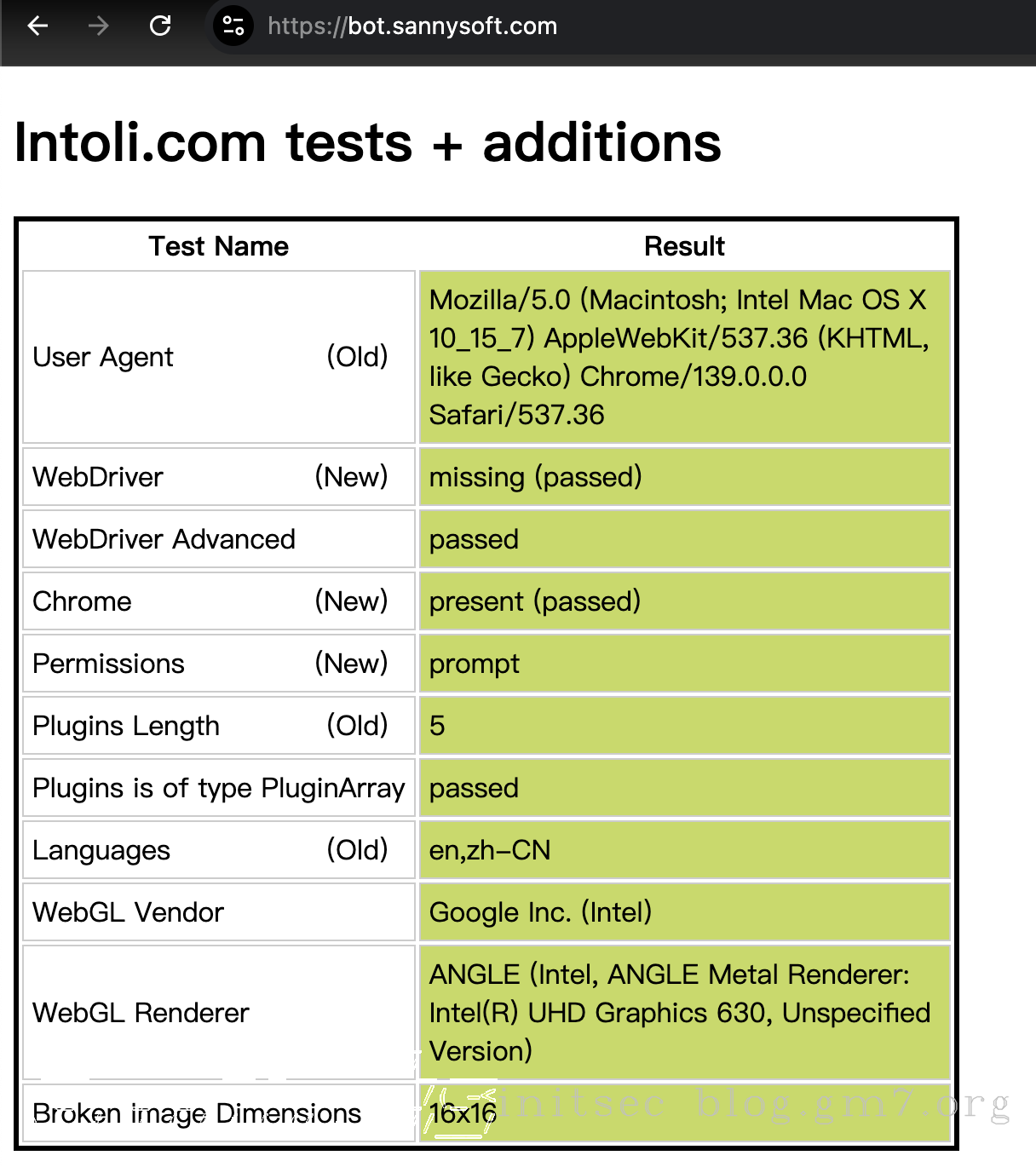
正常浏览器展示如下:
使用 playwright 打开时,展示如下:
playwright cr https://bot.sannysoft.com/
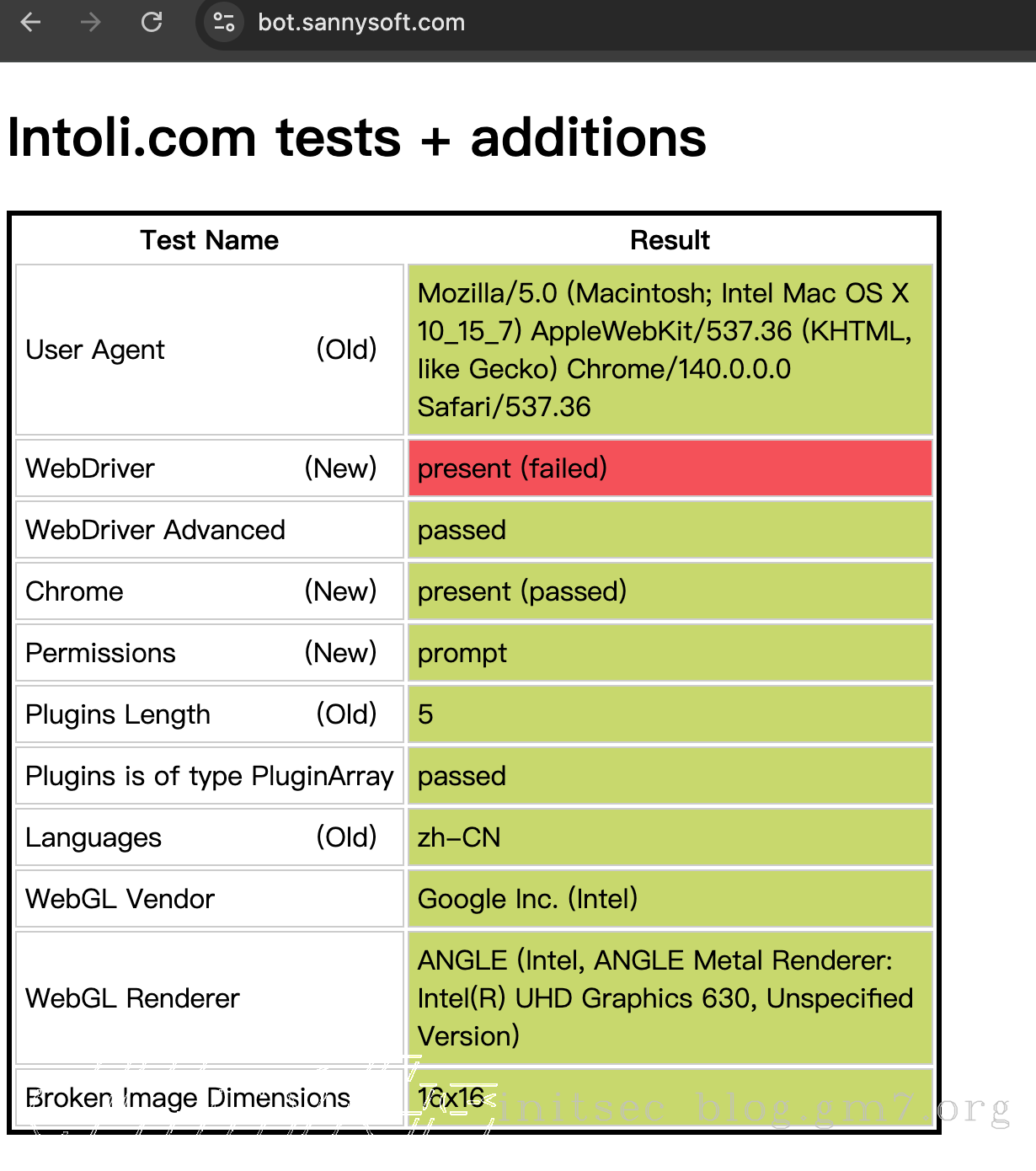
可见默认情况下使用 playwright 时 WebDriver 那一栏无法通过检查。
绕过方式一:Stealth 插件
pip install playwright-stealth
测试代码如下:
import asyncio
from playwright.async_api import async_playwright
from playwright_stealth import Stealth

async def main():
    async with Stealth().use_async(async_playwright()) as p: # 最常见用法
        browser = await p.chromium.launch(headless=False)  # 启动浏览器
        context = await browser.new_context()
        page = await context.new_page()
        await page.goto("https://bot.sannysoft.com/")
        print(await page.title())
        # 在这里继续操作
        await page.wait_for_timeout(10000)

        await browser.close()

asyncio.run(main())
绕过方式二:使用当前浏览器
退出浏览器,再以debug模式启动
"/Applications/Google Chrome.app/Contents/MacOS/Google Chrome" --remote-debugging-port=9222 --user-data-dir=/tmp/test/
编写代码连接:
import asyncio
from playwright.async_api import async_playwright

async def main():
    async with async_playwright() as p:
        browser = await p.chromium.connect_over_cdp("http://localhost:9222") # 连接刚才打开的浏览器
        context = await browser.new_context()
        page = await context.new_page()
        await page.goto("https://bot.sannysoft.com/")
        print(await page.title())
        # 在这里继续操作
        await page.wait_for_timeout(10000)

        await browser.close()

asyncio.run(main())
扩展
既反爬又可以保持网站登录状态
import asyncio
from playwright.async_api import async_playwright
from playwright_stealth import Stealth
import os

storagePath = "/Users/d4m1ts/.playwright/playwright_state.json" # 会话存储路径
if not os.path.exists(storagePath):
    with open(storagePath, "w", encoding="utf-8") as f:
        f.write("{}")

async def main():
    async with Stealth().use_async(async_playwright()) as p: # 最常见用法
        browser = await p.chromium.launch(headless=False, proxy={"server": "socks5://127.0.0.1:7890"})  # 启动浏览器
        context = await browser.new_context(storage_state=storagePath, locale="zh-CN") # 加载历史状态,文件必须存在
        context.set_default_timeout(240000) # 设置全局默认超时为 240 秒
        page = await context.new_page()

        await page.goto("https://blog.gm7.org/")
        print(await page.title())

        # 保存状态到文件
        await context.storage_state(path=storagePath)
        await browser.close()

asyncio.run(main())